-
1 Chapter
-
2 Notes
KeyWords and Expressions
hacker[hækə] n. 热心于使用电脑的人; 企图不法进入别人有权
益之电脑系统的人(俗称“骇客”或“黑客”)
attacker[ə'tækə] n. 攻击者; 进攻者; 抨击者
cracker['krækə] n. (淡或咸的)薄脆饼干; 破碎器; 吹牛者
identity[ai'dentiti] n. 身份; 本身; 本体; 个性, 特性
launch[lɔ:ntʃ] vt. 发射; 发动(战争等) vi. 开始; 积极投入; 下水;
出海
unauthenticated[ʌnɔ:'θentikeitid] adj. 未经证实的, 未经鉴定的,
不可靠的
ongoing[ɔngəuiŋ] adj. 前进的; 不间断的 n. 前进; 举止; 事态
target['tɑ:git] n. 目标,对象, 靶子
administrator[əd'minəstreitə] n. 管理员
exploitation[eksplɔi'teiʃən] n. 开发;开采; 利用; 剥削; 广告推销
vulnerability[vʌlnərə'biliti] n. 易受伤; 易受责难; 弱点
exploit[iks'plɔit] vt. 剥削; 利用; 开发, 开拓 n. 功绩, 功勋
integrity[in'tegriti] n. 正直; 廉正; 完整; 完善; 健全
breach[bri:tʃ] n. 破坏, 违反; 侵害; 裂痕; 缺口 vt. 破坏, 违反;
侵害; 突破
coding['kəudiŋ] vt. 编码
modification[mɔdifi‘keiʃən] n. 修改; 改变; 缓和; 减轻; 修改后
的形式, 变形
fabrication[fæbri'keiʃən] n. 制造; 组建; 构造物; 捏造; 虚构物
overlapping[əuvə‘læpiŋ] vt. 与…部分重叠; 与…部分同时发生
vi. 部分重叠
Along with the rapid development of the network, computer security is becoming a potentially huge problem. As more people are logging onto the Internet everyday, computer security becomes a larger issue.
1. What is computer security?
Computer security is the process of preventing and detecting unauthorized (未经认证的) use of your computer. Prevention measures help you to stop unauthorized users(also known as “intruders”) from accessing any part of your computer system. Detection helps you to determine whether or not someone attempted to break into your system, if they were successful, and what they may have done.
We use computers for everything from banking and investing to shopping and communicating with others through e-mail or chat programs. Although you may not consider your communications “top secret”, you probably do not want strangers reading your E-mail, using your computer to attack other systems, sending forged e-mail from your computer, or examining personal information stored on your computer (such as financial statements).[1]
2. Who would want to break into our computer?
Intruders (also referred to as hackers (骇客) (Figure 6-1), attackers (攻击者), or crackers) may not care about your identity (身份).Often they want to gain control of your computer so they can use it to launch (发动) attacks on other computer systems.
Having control of your computer gives them the ability to hide their true location asthey launch attacks, often against high-profile computer systems such asgovernment or financial systems. Even if you have a computer connected to theInternet only to play the latest games or to send e-mail to friends and family,your computer may be a target.[2]
Intruders may be able to watch all youractions on the computer, or cause damage to your computer by reformatting yourhard drive or changing your data.[3]
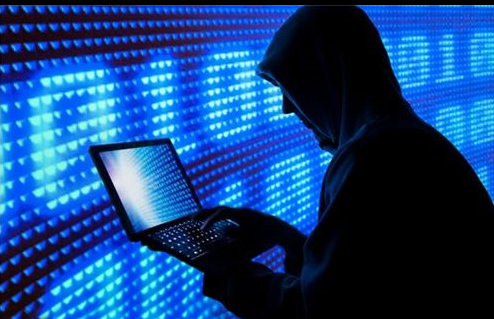
Figure 6-1 hackers
3. How easy is it to break into my computer?
Unfortunately, intruders are alwaysdiscovering new vulnerabilities (弱点) (informally called “holes”(漏洞)) to exploit (开拓) in computer software. The complexity ofsoftware makes it increasingly difficult to thoroughly test the security ofcomputer systems.
When holes are discovered, computervendors will usually develop patches to address the problem(s). However, it isup to you, the user, to obtain and install the patches, or correctly configurethe software to operate more securely. Most of the incident reports of computerbreak-ins received at the CERT/CC could have been prevented if systemadministrators (管理员)and users kept their computers up-to-date with patches and security fixes.
4. How to prevent exploitation of the vulnerabilities of computing systems?
The goal of computer security is toinstitute controls that preserve secrecy,integrity (完整性),and availability.
Sometimesthese controls are able to prevent attacks;other less powerful methods can onlydetect a breach (侵害)as or after it occurs. In this section we will survey the controls that attemptto prevent exploitation of the vulnerabilities of computing systems.
(1) Encryption. The most powerful tool in providing computer security is coding (编码).By transforming data so that it isunintelligible to the outside observer,the value of an interception and thepossibility of a modification (修改) or a fabrication (伪造
物) are almost nullified.[4] Encryption provides secrecy for data.Additionally,encryption can be used to achieveintegrity,sincedata that cannot be read generally also cannot be changed.Furthermore,encryption is important in protocols,which are agreed-upon sequences ofactions to accomplish some task.Encryption is an important tool incomputer security,butencryption does not solve all computer security problems.
(2) Software Controls. Programs themselves are the second link in computersecurity. Programs must be secure enough to exclude outside attack. Softwarecontrols may use tools such as hardware components,encryption,or information gathering. Softwarecontrols generally affect users directly,and so they are often the first aspectsof computer security that come to mind.[5]
(3) Hardware Controls. Numeroushardware devices have been invented to assist in computer security. Thesedevices range from hardware implementations of encryption to locks limitingaccess to theft protection to devices to verify users’ identities.
(4) Overlapping (重复) Controls. Several different controlsmay apply to one exposure.Forexample,securityfor a microcomputer application may be provided by a combination of controls onprogram access to the data,on physical access to the microcomputerand storage media,andeven by file locking to control access to the processing programs. [6]
(5) Periodic Review. Few controls arepermanently effective.Justwhen the security specialist finds a way to secure assets against certain kindsof attacks,theopposition doubles its efforts in an effort to defeat the security mechanism.Thus,judging the effectiveness of a control isan ongoing (不间断的)task.
Computer security is an importantissue. Many methods, for securing computers, have been found out by securityspecialist. What computer users need to do is choosing the methods.

